

A guide to CVE-2026-109618 and CVE-2026-109619, who is exposed, and where a web application firewall helps while you get patched.
On 21 October 2026 the PHP team shipped an emergency update and urged everyone running PHP to install it straight away. The reason is a pair of flaws nicknamed PHP2Shell, tracked as CVE-2026-109618 and CVE-2026-109619. Both score 9.2 out of 10 on the CVSS v4.0 scale, which puts them firmly in critical territory.
If you run PHP, the single highest value action this week is to move to 8.2.35, 8.3.36, 8.4.27, 8.5.12 or later. Everything else here is about what to do around that, and why.
The flaw itself is not new. The vulnerable code has been sitting in PHP since 2012. What changed this October is not the bug, it is the speed of exploiting it. For years it stayed a theoretical risk with no public working exploit, and practical exploitation was not demonstrated until 2026. Then, within days, automated scanning was underway, and at least one exploitation attempt had been logged even before the flaws went public. So as much as this is a story about a patch, it is a story about how little time you now get to apply one.
What makes this one worth your attention is where the problem lives. It is not a buggy plugin, a bad theme, or something a developer got wrong. It is in PHP itself, the engine that runs your code. So, a tidy, well audited application can still be at risk, because the weak spot sits one floor below anything you wrote. And since PHP runs about 70% of the websites whose server-side language is known, according to W3Techs, that floor is very large.
It also raises a fair question for a WAF to answer. If the weak spot is inside PHP itself, what can a firewall sitting in front of it do? We will get to that honestly, limits and all. First, what the bug is and who it touches.
PHP2Shell
There are two flaws here, not one, and they fail in slightly different ways.
CVE-2026-109618, memory corrupted when PHP runs out of memory. When a request pushes PHP past its memory limit at the wrong moment, an operation can be cut short before its internal data is fully set up. If PHP later uses that half finished data, an attacker who can steer the conditions may be able to run code. In the setups researchers have shown, this one can be set off within a single request.
CVE-2026-109619, stale state carried into the next request. Information that should be cleared at the end of a request can survive past it. A later request handled by the same worker then trips over data it should never have been able to see, which can lead to code execution or leaked memory. This one plays out across more than one request on the same worker.
The common thread is a worker that gets interrupted before it finishes cleaning up.
Picture a PHP server as a small team of workers. Each one takes a request, does the job, tidies the desk, and picks up the next request. These flaws are about what happens when a worker is interrupted partway through and the tidying up does not finish.
One route in involves pushing PHP until it runs out of memory at a carefully chosen moment. Other error-handling conditions can also leave stale internal state behind. In both cases, PHP may end up using information that was never fully set up or should already have been cleared.
That leftover data is the opening. Whether it is picked up later in the same request or by the next request on the same worker, a skilled attacker can shape what sits in that spot and, in the worst case, get the server to run commands of their choosing. In plain terms, a stranger with no account can make your server do what they say.
One of the two flaws has a second trick. It can hand raw server memory back to the attacker inside a response, with no code execution needed. Depending on what the worker was handling at that instant, that leaked memory can include session tokens, passwords, API keys, or even TLS private keys if such keys are present in the process memory.
Who are affected?
The short answer is almost everyone running PHP. The flaws live in the engine, so they do not care which application sits on top. WordPress, Drupal, Joomla, Magento, Laravel and millions of custom apps all run on PHP, and all of them inherit the problem.
It also does not matter much how you run PHP. The common setups are all affected, including PHP-FPM, Apache with mod_php, php-cgi, FrankenPHP and LiteSpeed. The PHP team calls out mod_php as the riskiest, because a single request from someone with no account can set the attack in motion before your application code even runs.
There is a second problem hiding in the version numbers. Just under a third of PHP sites still run PHP 7, and roughly 8% run PHP 5, per W3Techs figures from August 2026. Those branches reached end of life long ago, so the PHP project ships no PHP2Shell fix for them. For a large slice of the web, patching is not a quick version bump, it is a migration.
The uncomfortable part is that none of this reflects on your code. A page that returns a plain OK and does nothing else can still be probed, because the vulnerable handling happens before your code gets its turn.
Serious, but harder to pull off than the headline suggests
A 9.2 severity rating deserves attention, and the potential impact is severe. But the same official score also marks these flaws as high complexity, and that part matters. Setting the bug off is easy. Turning it into a reliable, working exploit is not.
To get from a crash to running commands, an attacker has to line things up precisely, often landing a follow up request on the exact same worker and dropping their data in exactly the right place. Get the timing or the memory layout slightly wrong and the worker simply crashes or answers normally. That fiddliness is why the bug sat quietly in the code for years. The vulnerable logic goes all the way back to PHP 5.4.0, released in 2012.
Two things should keep this near the top of your list. First, attackers are not waiting for a tidy proof of concept. Amazon’s threat intelligence team recorded a PHP2Shell exploitation attempt on 17 October, four days before the flaws were public, and automated scanning for vulnerable servers has been running since the disclosure. Second, difficulty is a moving line, not a fixed one. Increasingly accessible automation can lower the effort needed to adapt an exploit to different servers, so the gap between proof of concept and someone actually hitting you tends to close fast.
There is also a middle ground that needs far less skill than full code execution. The memory leak path can quietly feed an attacker chunks of live server memory, which may hold other people’s data and secrets, without a single command being run. That on its own is worth treating as a data exposure incident.
The only real fix is the patch
Everything else in this guide buys time. The patch is the fix. The PHP team put it plainly in the release notes. Their words were, “There are no complete mitigations, updating is the only safe choice.”
The fixed versions, released on 21 October 2026, are PHP 8.5.12, 8.4.27, 8.3.36 and 8.2.35.
|
PHP
branch |
Patched
version |
|
8.5 |
8.5.12
or later |
|
8.4 |
8.4.27
or later |
|
8.3 |
8.3.36
or later |
|
8.2 |
8.2.35
or later |
|
8.1
and earlier |
No
upstream fix. Check your distribution or vendor for a backport, or migrate to
a supported branch |
Two practical notes. The version php -v reports on the command line can differ from the one your web server or PHP-FPM pool runs, so confirm the runtime serving each application, not just the shell.
And some Linux distributions and commercial PHP vendors backport security fixes to older versions without changing the version number, so if you are on an older branch, check whether yours has before assuming you are stuck.
One more thing worth saying out loud. Patching closes the hole, but it does not undo a break in that already happened. If you think you were hit before you updated, treat it as an incident.
Buying time before you can patch
Sometimes a same day upgrade is not realistic. Legacy dependencies, change windows, a vendor on their own timeline. These steps lower your exposure while you get there. Not one of them replaces the patch, and none of them closes every path on its own.
· Turn off the session upload progress feature. Set session.upload_progress.enabled = 0. This reduces exposure to certain demonstrated session upload related attack paths, but not every path.
· Remove PHP’s memory limit as a stopgap. Set memory_limit = -1. It sounds backwards, but one of the flaws depends on a memory allocation failing at just the wrong moment, and taking the limit away removes that predictable route to failure. It does not rule out every possible allocation failure, so it is not complete cover. The trade off is that one request could use all of an instance’s memory, so carefully evaluate process isolation and system level memory controls, including containers or cgroups, before applying it.
· Turn off fatal error backtraces on PHP 8.5. Set fatal_error_backtraces = 0. This shuts one of the paths on the newest branch, not the others.
· Tighten your upload limits. Lower post_max_size and upload_max_filesize, and set a request body size limit on the web server too. Smaller inputs give the attack less room to work, but tighter limits reduce the opening rather than remove it.
· Run PHP with least privilege. If something does slip through, you want the PHP process able to reach as little as possible. This limits the damage, it does not prevent the attack.
One trap to avoid. Do not try to help by lowering memory_limit instead of removing it. A tighter limit can make some of the memory exhaustion paths easier to hit, not harder. Test any of these settings in staging first and restart your PHP workers or FPM pool so they take effect.
How a WAF helps while you patch
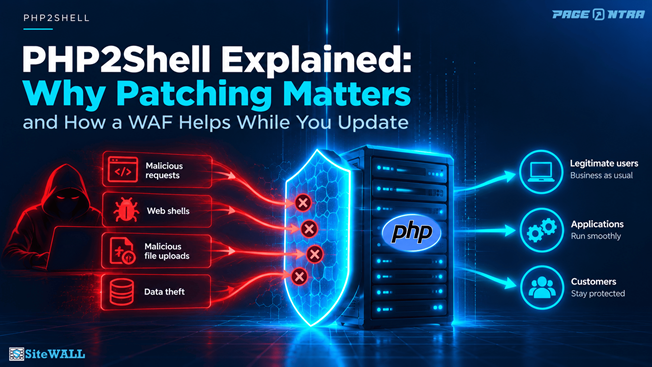
A web application firewall cannot fix a flaw inside the PHP runtime. What it can do is lower the chance that known attack patterns reach the vulnerable code, give you visibility into suspicious traffic, and buy you time while the patch is rolled out. It does not remove the flaw. Only the patch does that.
Where a WAF, or a wider WAAP platform like SiteWALL, earns its place is in front of the known attack shape. Some of the demonstrated attacks arrive as crafted requests, including multipart uploads that abuse PHP’s upload handling, which gives you a few concrete moves while you patch.
· Virtual patch the known request patterns. Targeted rules can sit in front of the known malicious request shapes without touching your application, reducing exposure once they are written, tested and switched on, rather than waiting on a full upgrade.
· Protect uploads or drop them. If an application takes file uploads, upload protection inspects them. If an application does not handle uploads at all, you can drop multipart form data for that app, which reduces exposure to certain upload related attack paths. It does not cover every path, since the two flaws work in different ways and not all of them depend on uploads.
· Watch for the outcome, not just the request. Successful exploitation can end in a web shell, or in leaked memory with no shell at all. Web shell detection can help identify a malicious shell if one is planted, while rogue outbound communication detection can flag suspicious external connections from a compromised server. Neither guarantees detection of every successful exploit.
· Rate limit and flag the odd behaviour. Some of the automated attempts lean on repeated, unusual requests, so automated rate limiting and anomaly detection can help blunt and surface those, though how much they help depends on the technique.
Here is the honest catch. Because the trigger can look a lot like an ordinary upload, no rule set catches every variation. And one of the two flaws leaks memory back inside a response rather than through an incoming request, which a firewall built to filter traffic on the way in will not see, so for that path the real answer is to patch and rotate any secrets that could have been exposed. Treat the WAF to cut risk and raise the alarm, not as a cure. Two settings decide whether you get real protection or a false sense of it. Keep the WAF in block mode, so detections stop requests rather than only logging them, and lock down your origin, so an attacker cannot simply skip the WAF and hit your server directly.
If you do one thing this week
If you take only one action after reading this, upgrade PHP to a patched release. That single step closes the hole completely, which nothing else here does.
If you have a little more room, the shape of a good response is simple. Patch where you can. For anything you cannot patch today, apply the recommended temporary measures and appropriate WAF protections. For anything stuck on an end-of-life branch, start the migration now.
The lesson outlasts PHP2Shell. This time the weak spot was in the runtime beneath your application code. A WAF can help while you patch, and it continues providing an additional layer of protection against other threats long after this vulnerability is fixed.
The teams that come through this calmly will be the ones that treated the patch as the real job and everything else as cover while they did it.
Questions people are asking
1. Do I need to do anything if my own code is secure? Yes. The flaw is in PHP itself, not in your code, so a clean application still runs on a vulnerable engine. Updating the PHP version is what fixes it, not another review of your app.
2. How do I find out which PHP version I am on? You can run php -v from the command line or check your hosting control panel. Be aware the command line version can differ from the one your web server or PHP-FPM pool runs, so confirm the version serving each application. On shared or managed hosting, ask your provider which build you are on and when they will patch.
3. I am on PHP 7 or older. What now? The PHP project will not patch end of life branches. Check first whether your Linux distribution or PHP support vendor has backported a fix, since some do. If not, move to a supported branch, 8.2 or newer, or, if that cannot happen quickly, isolate or take the system offline until it can.
4. Will a WAF keep me safe without patching? No. A WAF can block the known attack patterns and buy you time, but the trigger can look like normal traffic, so no rule set catches everything. Use it as cover while you patch, never instead of patching.
5. Is my data at risk even if the attacker cannot run code? Possibly. One of the two flaws can leak raw server memory back to an attacker, and that memory may hold session tokens, passwords or keys. Treat a suspected hit as both a possible code execution event and a possible data exposure.
6. What are the signs that someone has tried this? Watch for PHP running out of memory and workers crashing alongside odd request patterns, such as unusually large uploads, strange multipart requests, or unexpected values in session related fields. One caution. A successful attack will not always crash a worker or throw an obvious error, so a quiet server is not proof you are safe. If you suspect a hit, check for new or unknown processes, changed files, and outbound connections you cannot explain, and correlate across your WAF, web server, PHP and host logs.
7. Does upgrading PHP break my site? It can, especially across major versions, so test in staging first. But the risk of sitting on a vulnerable or end of life version is far higher than the risk of a planned, tested upgrade. Plan it, test it, and do it soon rather than someday.
References
- PHP security advisory for CVE-2026-109618, PHP project. https://github.com/php/php-src/security/advisories/GHSA-w8hw-w9fx-j79w
- PHP security advisory for CVE-2026-109619, PHP project. https://github.com/php/php-src/security/advisories/GHSA-6wmf-4rv5-p3rp
- PHP2Shell technical analysis, Datadog Security Labs. https://securitylabs.datadoghq.com/articles/php2shell-critical-vulnerabilities-in-php/
- PHP2Shell exploitation before public disclosure, AWS Security Blog. https://aws.amazon.com/blogs/security/amazon-threat-intelligence-identifies-php2shell-exploitation-prior-to-public-disclosure-in-madpot/
- PHP usage and version statistics, W3Techs. https://w3techs.com/technologies/details/pl-php
- Additional technical analysis, Sansec. https://sansec.io/research/php2shell
Figures current as of 23 October 2026.